




Best Grading Tools Create account

Every card counts.

Organize your collection on the web. Scan and evaluate your cards with the iPhone app.

Front of a BGT card with a blue creature

Fictional cards generated for this demonstration. Illustrative damage and annotations, not customer reports or certification.

Examples →

Your collection, on the web too.

Sign in with the same account you use on iPhone.

Organize your cards
Create collections and browse the entries saved to your account.
Review your reports
Open completed evaluations and their available images.
Continue on iPhone
Scan, capture and evaluate in the app. Photos of ungraded cards stay on the device.
Create my collection →

Your game. Your collection.

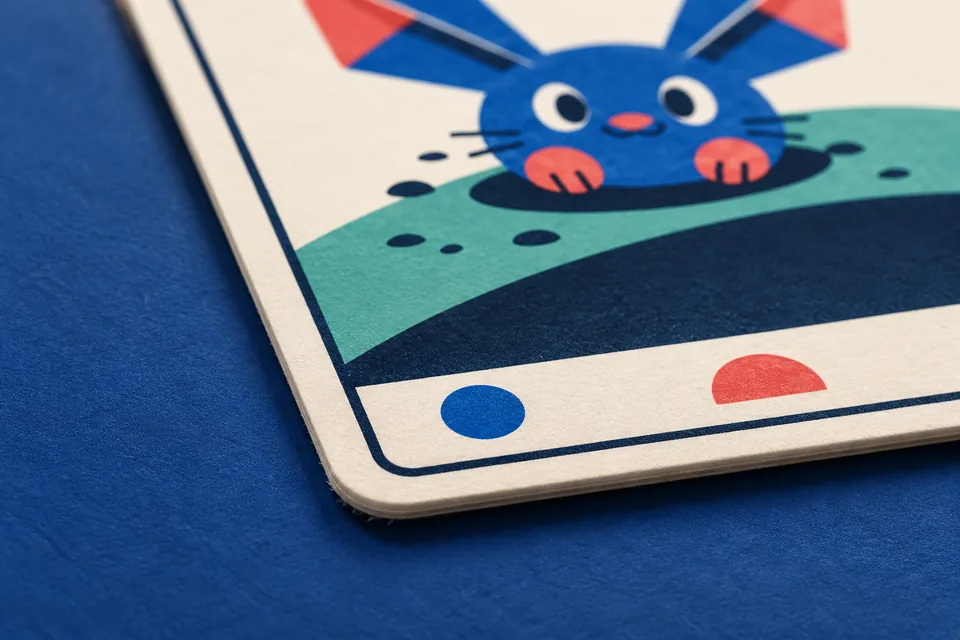
Illustrative close-up of the edge and paper texture of a fictional BGT card on a blue surface.
Illustrative scene with fictional BGT cards.

Every edge matters.

A corner, a mark, a reflection. Learn to distinguish what you see before deciding the next step for your card.

  • Corners
  • Edges
  • Surface
Explore the examples

From your first photo to your collection.

A place to give every card a closer look and enjoy the ones you want to keep.

Small details matter.

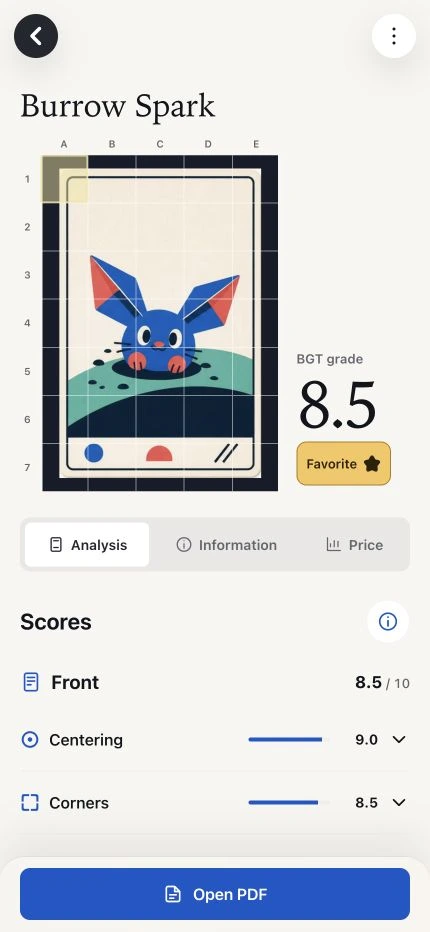
Explore your card in 3D and zoom into highlighted areas. The report separates observed damage from marks worth a closer look.

  • Front and back, using the photos you took.
  • Review areas that distinguish visible marks from confirmed damage.
  • An independent BGT estimate to help you decide what comes next.
How it works
BGT report in the app with a card, estimate and condition scores Enlarge screenshot
Actual app interface with fictional sample cards.

Small details matter.

BGT report in the app with a card, estimate and condition scores

Actual app interface with fictional sample cards.

Your collection, your way.

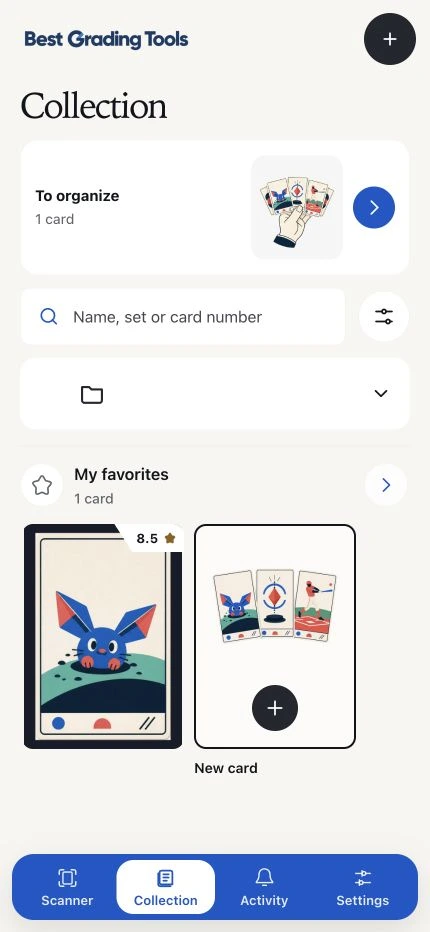
Organise by set or create your own collections. Mark favourites and return to your cards without searching through photos.

How it works
App collection with favourites and front images of the cards Enlarge screenshot
Actual app interface with fictional sample cards.

Your collection, your way.

App collection with favourites and front images of the cards

Actual app interface with fictional sample cards.

Save or analyse. Your choice.

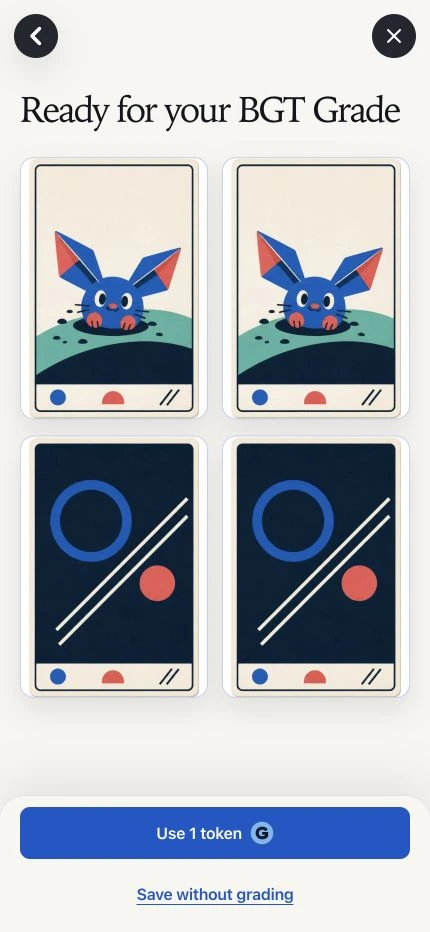
Keep a card without analysis, or use one token for your BGT estimate and report. Your tokens never expire.

How it works
Card review with options to analyse or save without analysis Enlarge screenshot
Actual app interface with fictional sample cards.

Save or analyse. Your choice.

Card review with options to analyse or save without analysis

Actual app interface with fictional sample cards.

Your cards, in your control.

Choose what to keep and share. Your images and reports are private by default.

Read the privacy notice

Care today for tomorrow’s collection.

Learn to prepare, photograph and protect your cards with our practical guides.

Explore the guides

Before your first card.

How do scanning and analysis differ?

Quick scan looks up a card and displays its information. Analysis examines photos of the front and back, estimates its condition and creates a BGT report. One completed analysis costs one token.

Can I check prices with quick scan?

Yes, when compatible verified sales are available for that card. For now, our pricing focuses on Pokémon. If there is not enough data, we say so; we do not invent a price, and you do not need to analyse the card to check it.

How many scans do I get, and when are they used?

You start with 30 quick scans. A completed lookup uses one, even if it finds no card. An incomplete lookup, cancelling the camera or a technical failure does not use your balance. Revisiting a printing you already looked up — the same card, game and language — does not charge again. History and its photos stay on your device.

Do tokens and scans expire?

They do not expire with time. Each purchased token includes 10 quick scans: 5, 15 and 40 tokens include 50, 150 and 400 scans. Your balance belongs to your account; reinstalling does not repeat the initial gift. Deleting the account removes its balance and does not request an Apple refund.

Is a BGT grade an official certification?

No. It is an independent estimate of the condition visible in your photos. It does not certify authenticity or replace a physical inspection or official certification.

How reliable is the analysis?

We evaluate detection using real photographs, but we do not yet have an independently validated overall reliability percentage. Sharpness, lighting and finish affect what is visible. An area for review does not confirm damage or lower the grade on its own; photographs cannot rule out every defect.

Your collection starts here.

Create your account and organize your cards in the browser. Capture and evaluation take place in the iPhone app.

Create my collection

Waiting for the iPhone app?

For iPhone · iOS 17 or later

A visual estimate—not certification, authentication or an official grader opinion.